> For the complete documentation index, see [llms.txt](https://unity.zoeimmersive.com/llms.txt). Markdown versions of documentation pages are available by appending `.md` to page URLs; this page is available as [Markdown](https://unity.zoeimmersive.com/bridge-xr/set-up-bridge-xr/server-deployment/sso-integration.md).
# SSO Integration
Now that you have your Cloud environment set and the SSO configured you need to connect them.
Use this page to connect your Azure SSO setup to the Bridge XR frontend.
### What you need
You should already have:
* a deployed Bridge XR frontend
* a configured Azure application registration
* access to the frontend configuration file provided for your deployment
### Values to copy from Azure
Copy these values from your Azure application and paste them into the provided frontend configuration file.
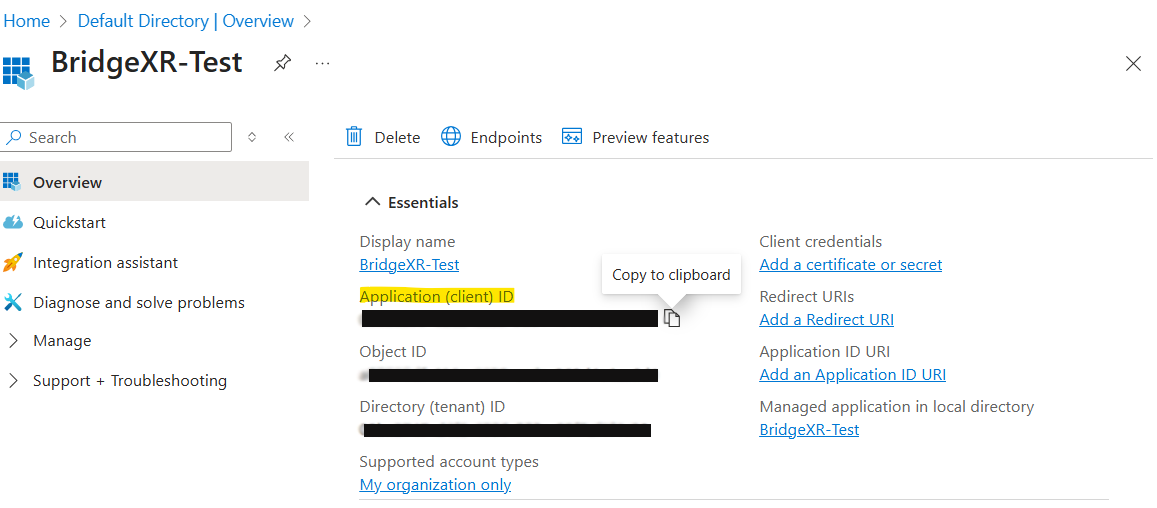
#### Application ID
Find the **Application ID** in:
`Overview > Essentials`
Copy the Application ID from Azure
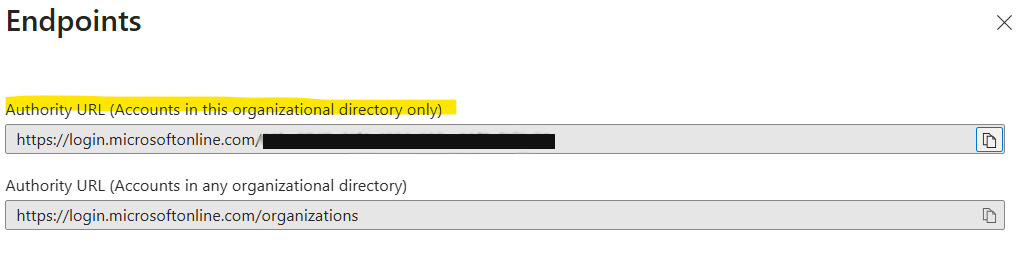
#### Authority URL
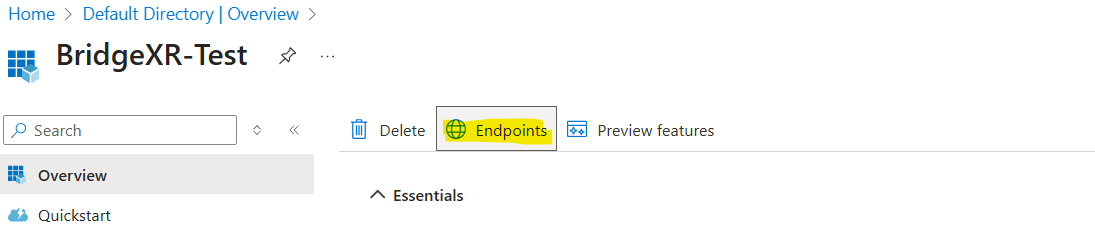
Open **Endpoints** and copy the correct **Authority URL** for your setup.
Open Azure endpoints
Copy the Azure Authority URL
### Apply the values
Paste the copied values into the fields required by the provided frontend configuration file.
This connects:
* web dashboard login
* web player login
* the related Bridge XR authentication flow
### After integration
Once the values are applied:
1. redeploy or restart the frontend if required by your setup
2. test login on the deployed dashboard
3. verify the web player authentication flow